How to use cAdvisor to monitor azeti Engine Docker Installations
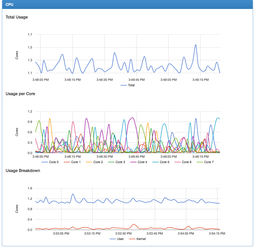
cAdvisor is a simple monitoring tool for docker installations which comes in very handy to look into resource usage of individual docker containers. It is not a replacement for a proper monitoring solution. Some features it offers:
- show memory, cpu by core and network usage by container
- show file system usage per container
- show live graphs and process lists
- can be started within seconds as self-contained, zero-config docker container
Use Case
- your azeti Engine runs on a docker host
- check resource usage and allocation for running docker containers live
cAdvisor Container
Please check the official documentation here.
Start the cAdvisor container and assign the web UI to port 8084
sudo docker run \
  --volume=/:/rootfs:ro \
  --volume=/var/run:/var/run:rw \
  --volume=/sys:/sys:ro \
  --volume=/var/lib/docker/:/var/lib/docker:ro \
  --publish=8084:8080 \
  --detach=true \
  --name=cadvisor \
  google/cadvisor:latest
- Open http://<IP of Docker Host>:8084 in your browser and start using cAdvisor
- That's it, no further configuration required.
Administrators must take care of their own comprehensive monitoring of production azeti Engine installations. The above approach helps to get a quick insight but is not suitable for investigations over time or performance analysis.
Related articles