How to assign a Site Template and put a location into production
After you have installed Site Controller and verified your physical setup, you will want to assign an appropriate site template to the controller and also put into production.
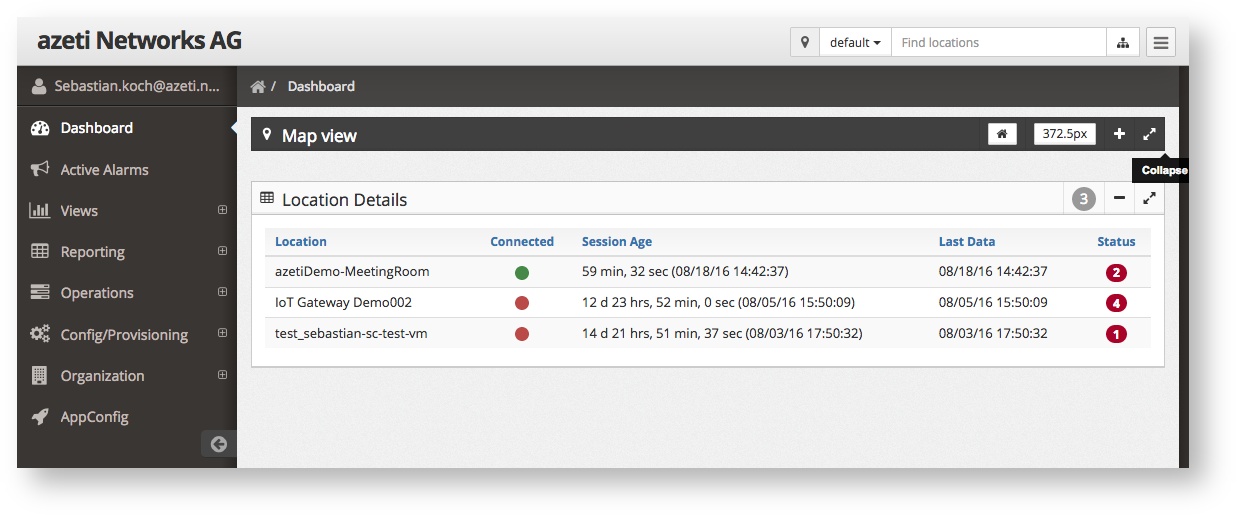
Location that are in state Production:
- Reporting (e.g. Audit Log, Fuel Reports)
- Dashboard → Map VIew
- Dashboard → Location Detail
Site Templates include a full sensor, action and automation configuration for a remote Site Controller. A template must be created before hand, which involves some detail work, check out Working with Templates for details or for a quick intro read the /wiki/spaces/SSCL/pages/47775864 guide that covers creating a site template as well.
Step-by-step guide
- Go to Organization → Locations and select the location you want to assign the template to
In the General tab, set Prod/Dev to
PRODUCTIONSet Longitude and Latitude in GPS Location
You will see your new location based on the GPS coordinates in Dashboard → Map View then. Try the online long/lat calculator to get coordinates to a specific address.
- Select the Gateways tab and choose the right template from the Assign template drop down
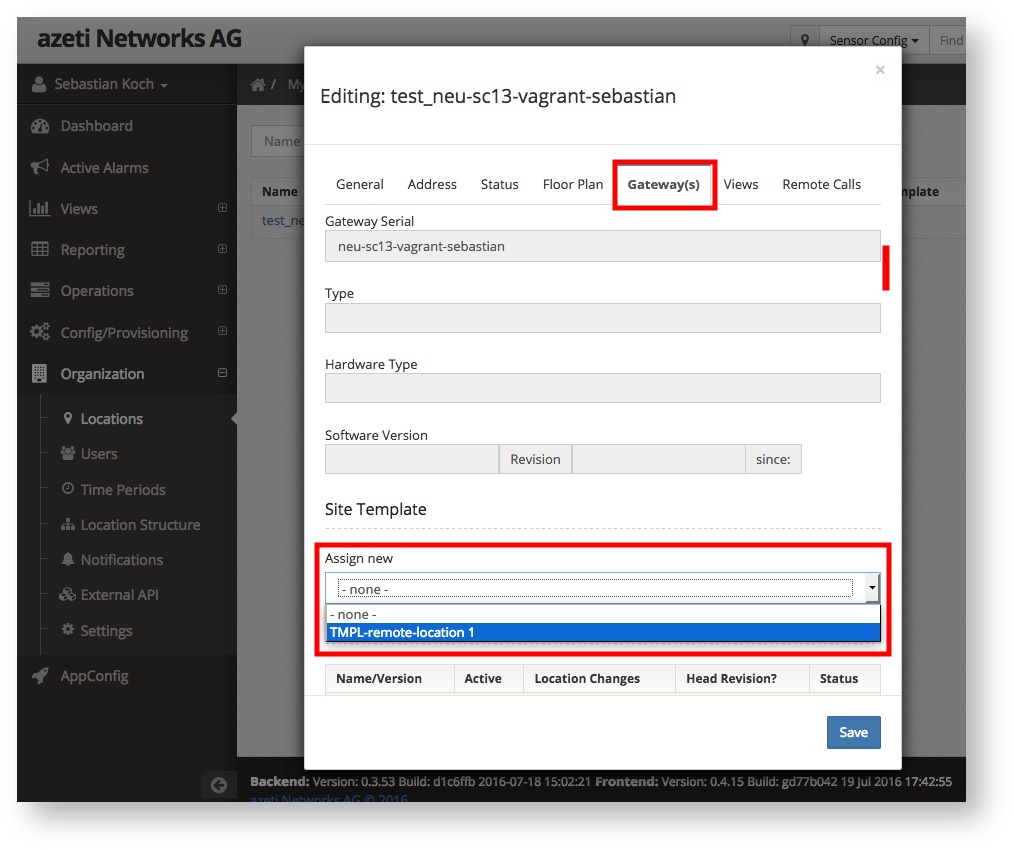
- Click Save to apply all changes
Next steps
You assigned a template already but to finally apply this new configuration you have to deploy it. Deployments can be scheduled and allow you to plan your maintenance wokrs and changes.
- Apply the site template by deploying it.
- Check configured actions and test the new configuration.
Related articles